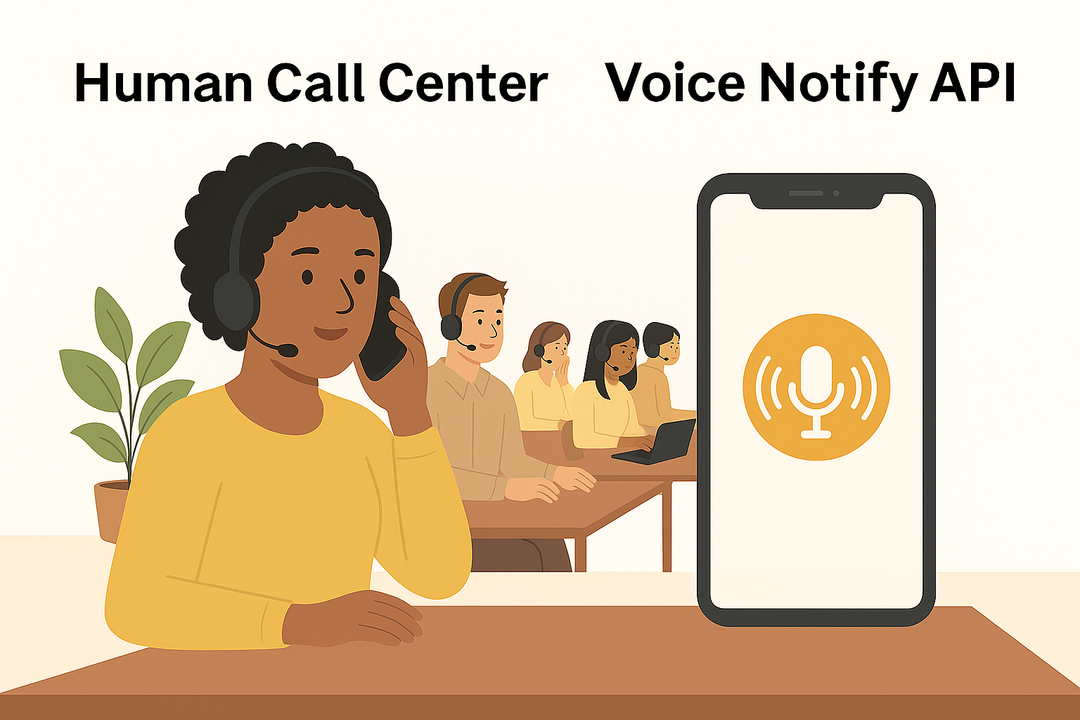
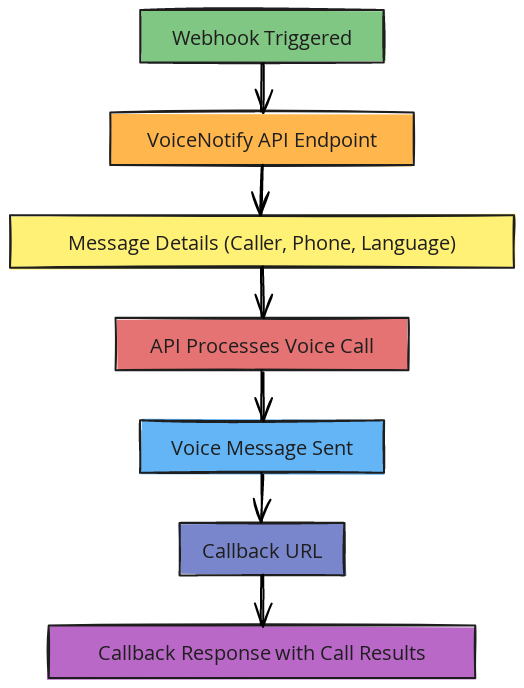




Trigger automated outbound AI calls and receive structured call results for visualization, reporting, and workflow automation.
POST
https://api-v1.delight.fit/voicenotify
Content-Type: application/x-www-form-urlencoded
This defines how the request data is sent to the server.
curl --location 'https://api-v1.delight.fit/voicenotify'
--header 'Content-Type: application/x-www-form-urlencoded'
--data-urlencode 'access_token=YOUR_ACCESS_TOKEN'
--data-urlencode 'rows=[{...}]'
access_token
Your secure API key. This verifies that the request is authorized. Keep this confidential.
rows
An array of outbound call instructions. You can send multiple calls in one request.
message
The voice message the AI will speak during the call.
caller
The phone number displayed as the Caller ID.
phone
The destination phone number (the person being called).
language
Language used for the call (for example: "en" for English, "ja" for Japanese).
UTC
Timezone reference used for processing or scheduling.
callback_token
A custom identifier you define to match call results with your internal system (CRM, campaign ID, etc.).
callback_url
The URL where call results will be sent after the call is completed.
{
"success": "1",
"result": {
"count": "2",
"success_count": "2",
"errors_count": "0"
}
}
success
Whether the request was accepted (1 = success).
count
Total number of calls submitted.
success_count
Number of calls successfully processed.
errors_count
Number of failed calls.
{
"callee": "8190390456xx",
"caller": "8150505008xx",
"call_result_code": "200"
}
The call_result_code explains what happened during the call.
Below are the possible call_result_code values and what they mean.
Campaign type: Automated & Agent
The callee answered the call successfully.
Campaign type: Automated & Agent
The call reached voicemail.
For agent campaigns, voicemail detection must be enabled in settings to classify it correctly.
Campaign type: Automated & Agent
The callee ended the call.
In agent campaigns, this may happen while the customer is waiting in queue.
Campaign type: Automated
The automated scenario reached its predefined ending point normally.
Campaign type: Automated & Agent
The callee was already on another call.
Campaign type: Automated & Agent
The phone was not answered or switched off.
Campaign type: Automated & Agent
The callee rejected or declined the call.
Campaign type: Automated & Agent
The destination phone number is incorrect or does not exist.
Campaign type: Automated & Agent
The phone is switched off or out of network coverage.
Campaign type: Automated & Agent
The number is restricted or included in a Do Not Call (DNC) list.
Campaign type: Automated & Agent
The call was interrupted before reaching the callee.
Campaign type: Automated
The call was manually stopped during scenario testing.
This does not appear in call history.
Campaign type: Agent
The system could not connect the call to an available agent.
Campaign type: Automated & Agent
The call failed due to telecom carrier issues.
You can use these result codes to:
• Automatically retry busy or unanswered calls
• Update CRM lead status
• Measure connection rate and contact rate
• Identify invalid numbers and clean your database
• Build dashboards for campaign performance
Every call becomes structured data.
Structured data becomes insight.
Insight becomes action.
